An AI assistant that runs in your terminal, on the device.
Talk to a model, let it run commands, keep the conversation across sessions. Sign in to OpenRouter through the browser, or paste your own key for any other provider. Since 2.0 it can also build tweaks, end to end, without leaving the phone.
Reads and edits files, runs shell commands — shell commands and file writes always ask first. What counts as "ask every time" is set in /permissions.
Sessions are saved every turn. Resume the last one, pick an earlier one, or rewind the conversation to an earlier point.
Profiles keep several providers side by side, switchable without losing the conversation.
Tweak and reverse engineering tools — class and method lookup from the device's own dyld cache, a live class dump from a running app, reading what's on screen in a running app, FairPlay decryption on the phone, and an environment probe that runs each tool instead of looking for it. Since 2.5 these live in their own package, shivtools, installed with shiv from this repo — so any CLI can use them, not just shiv.
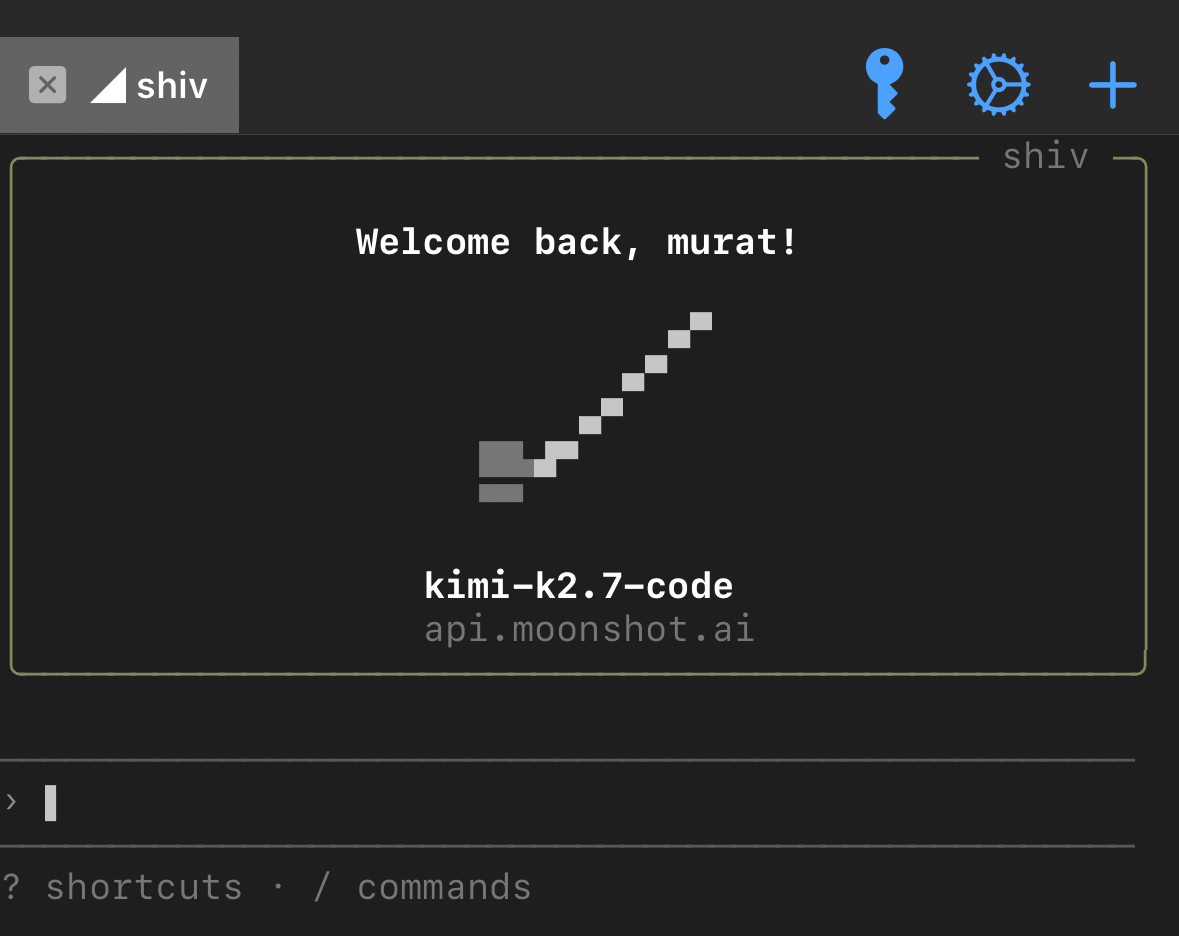
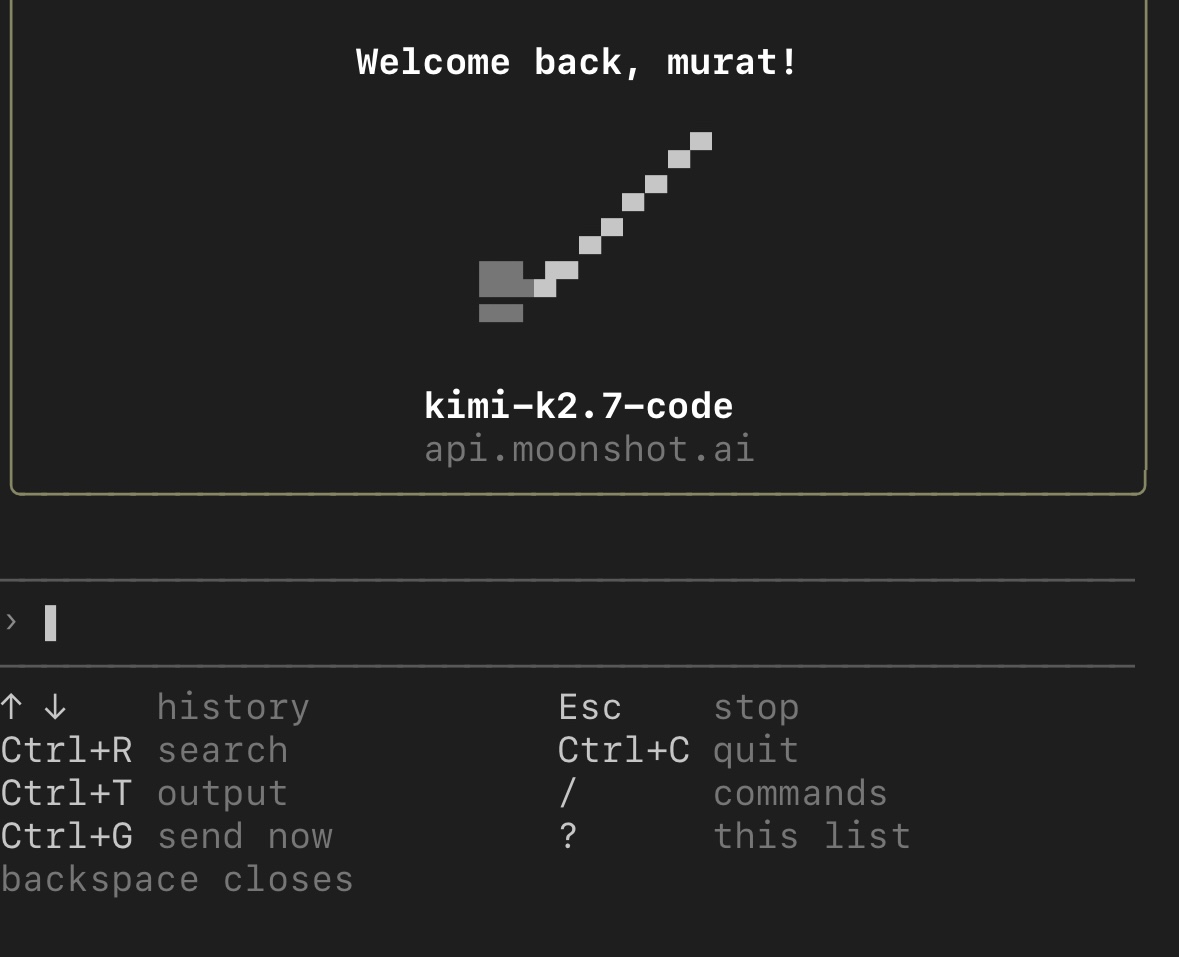
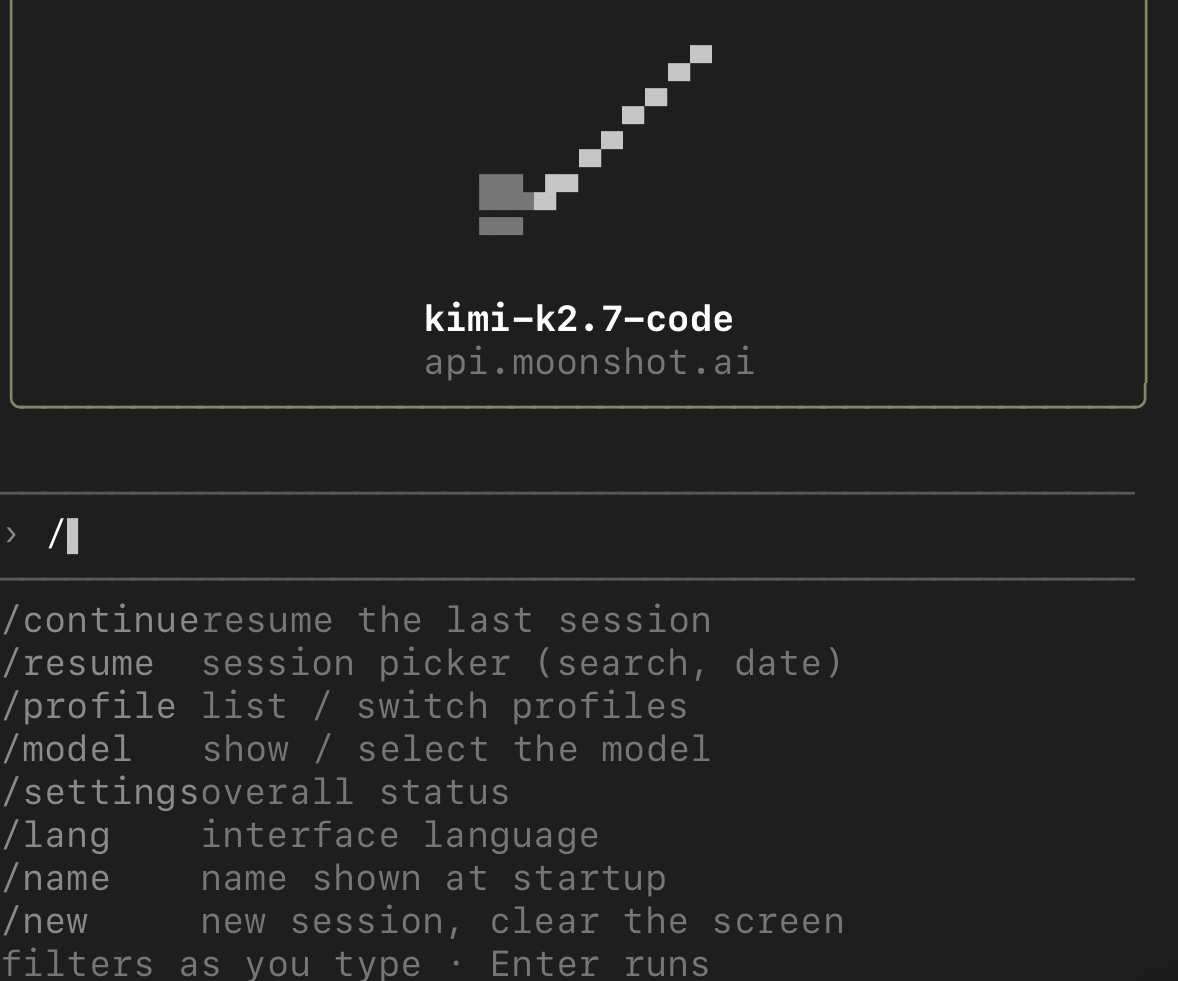
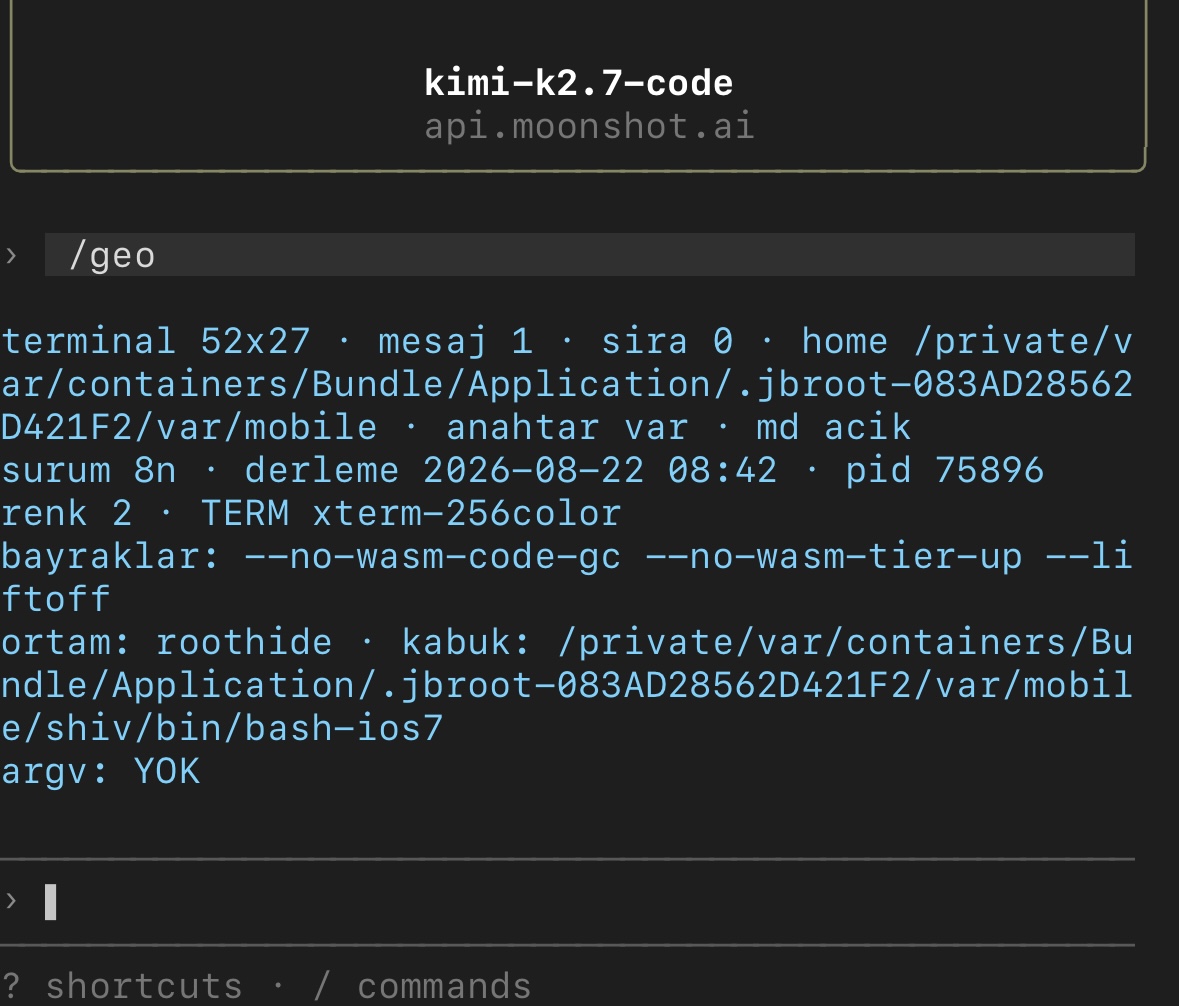
OpenRouter signs in through the browser — no key to copy — and reaches Claude, GPT, Gemini and Grok with one account.
Also built in: DeepSeek · OpenAI · Moonshot (Kimi) · xAI (Grok) · Qwen · Z.ai (GLM) · Groq · Mistral · Together AI · Ollama or llama.cpp on a computer on your network · any custom OpenAI-compatible endpoint.
Install shiv and it runs. Nothing else to add.
iphoneos-arm64 packageiphoneos-arm64e packagecom.muratkurt.shivtools) for the device tools — pulled in automaticallyBuilt and used on iPhone 15 Pro (iOS 17.0.3, RootHide) and iPhone XS (iOS 16.1.1, Dopamine rootless). Rootful jailbreaks are untested.
.appex extensions run in their own process and aren't decrypted by this route. Class lookup is verified on iOS 16 and 17; on another version shiv says it can't confirm a name rather than returning a wrong one.
| Developer | muratkurt |
| Package | com.muratkurt.shiv |
| Version | 2.5.0 |
| Requires | shivtools · Node.js included |
| Compatibility | RootHide · rootless |
| Tested on | iOS 17.0.3 · iOS 16.1.1 |
| Languages | Türkçe · English |
shivFirst launch asks for language, provider, API key and model.
Run it as mobile, not as root. Under root the files it writes end up owned by root and ~/.shiv stops being writable.
OpenRouter — no key to copy. Pick OpenRouter in the wizard and the browser sign-in starts by itself: Safari opens the approval page, you confirm with your OpenRouter account, and the key comes back to the app. If the browser cannot be opened automatically, type the short address it prints (http://127.0.0.1:<port>) into any browser on the device.
Any other provider — paste your key at the key step.
Settings live in ~/.shiv and survive upgrades. Sessions are stored locally in ~/.shiv/oturumlar.
Shell commands and file writes always ask first. What counts as "ask every time" is set in /permissions, and /preferences covers the rest of the behaviour.
Reading files, listing directories and searching don't ask.
Command names follow the interface language (/lang), so /login and /giriş are the same command. A prefix is enough — /prof.
| /help | command list |
| /login | sign in with a new profile (setup wizard) |
| /key | show the key · refresh · remove and sign out |
| /profile | switch, add or delete profiles |
| /model | pick a model; the list comes from the provider |
| /new | new session |
| /clear | clear the screen |
| /continue | resume the last session |
| /resume | pick an earlier session |
| /export | export the session to a file |
| /context | what is loaded right now |
| /notes | your context notes file |
| /dir | working directory |
| /add-dir | add a working directory |
| /settings | interface |
| /preferences | behaviour |
| /permissions | which commands need approval |
| /performance | drawing and streaming speed |
| /theme | colour theme |
| /lang | interface language |
| /name | what shiv calls you |
| /geo | status: version, model, session, limits |
| /env | development environment probe |
| /device | device scan: iOS, model, jailbreak, disk |
| /mac | build on a Mac over the network |
| /remote | set up and check the remote build connection |
| /about | version and build |
| /licence | licence |
| /quit | exit |
Press Esc to stop a running answer. Esc again opens rewind, which takes the conversation back to an earlier point.
| ↑ ↓ | history |
| Ctrl+R | search history |
| Ctrl+T | show output |
| Ctrl+G | jump to bottom (fullscreen) |
| Ctrl+B | send the running job to the background |
| Esc | stop |
| Ctrl+C | quit |
| / | commands |
| ? | shortcut list |
A job sent to the background keeps running while you type. Press ↓ to reach the counter at the bottom, Enter for detail, k to stop it, ← to go back to the list, Esc to close. Output appears while the job is still running.
shiv measures the device instead of guessing. Start here:
/envReports theos, the SDK, frida, oldabi, the inject directory and the bundled tools — each one actually run, not just looked for, so a broken tool shows as broken.
/device scans the device itself: iOS, model, jailbreak, disk. /mac and /remote set up and check building on a Mac over the network.
Since 2.5 the tools ship in com.muratkurt.shivtools, not in shiv. They are on PATH either way, and work from any shell or CLI.
shiv-ortam                 environment probe: jailbreak, theos, SDK, frida, oldabi
shiv-sinif <name>          class/method search from the dyld cache (no frida)
shiv-oku <bundle-id>       live ObjC class dump from a running app (frida)
shiv-cek <bundle-id>       FairPlay decrypt, on the device itself (frida)
shiv-ekran <bundle-id>     what is on screen in a running app (frida)
shiv-pencere               SpringBoard windows and view tree, read-only (frida)
shiv-yol <path>            a path in both namespaces, and which one exists
shiv-prefs-ornek <key>     a working example from Apple's own prefs bundles
shiv-frida-kur             diagnose frida: binary, package, agent, daemon,
conflicts and leftoversshiv-ekran <bundle-id> what is on screen now
shiv-ekran --izle 40 <bundle-id> record every page you open, for 40 sThe app has to be in front. Stay in it until the phone vibrates; the terminal comes back by itself.
In record mode, open the pages one by one and wait for the vibration on each. Every page is saved on its own: /var/mobile/tw/ekran-<bundle-id>-01.txt, -02.txt …
You don't have to type it. Ask shiv to read an app from the screen and it runs it.
TWEAK.md ships with the package and holds the recipes the assistant follows.
shiv-oku, shiv-cek and shiv-ekran need frida-server 16.x — the client is linked against frida-core 16, so a 17.x server cannot talk to it. shiv-frida-kur reports this and changes nothing on its own. It installs the matching 16.1.4 only when you ask:
sudo shiv-frida-kur --kurRootless takes the GitHub release deb; RootHide takes it from the RootHide repo, which is unsigned and needs --allow-unauthenticated. The version is then held so an update can't replace it with 17.x.
Tweaks for App Store apps and command line tools build on the phone with nothing to think about.
System process tweaks are arm64e, and the on-device compiler emits an older pointer authentication ABI. Two things in your code trip it: an @"..." string literal, and handing a block to the system. Hooks, selector calls and ivar reads are fine.
oldabi bridges both, and /env reports whether you have it. It does not cover Swift — the Swift runtime authenticates its own pointers somewhere oldabi never reaches, so a Swift arm64e tweak built on the phone still crashes. That one has to be built on a Mac.
For a package other people will install, declare it:
Depends: firmware (<< 15.0) | cy+cpu.arm64v8 | oldabiOr connect a Mac with /mac and build there for a deb that depends on nothing. Both routes work; shiv explains the difference instead of pushing one.
SHIV_OLUK='╰' shivChanges the gutter glyph. Use it if your terminal draws the default one at the wrong width — lines will look one column short.
SHIV_ANLATIM_KATLA=1Folds the assistant's narration as well as tool output.
SHIV_NODE_CAPRAZ=1Builds debs on a Mac without a device attached.
Changes
Fixed
New
shiv-pencere — SpringBoard's windows and view tree, read-onlyshiv-yol — a path in both namespaces, and which one existsFixed
/context counts tool calls; it showed 28k where the real figure was 127kReading the screen
shiv-ekran <bundle-id> reads what is on screen in a running app: view controllers, classes, frames, text, accessibility ids. The app is not relaunched. Hook targets come from the screen, not from a guessshiv-ekran --izle 40 <bundle-id> saves every page you open, one file each. The phone vibrates on every pageFixed
/env shows which terminal shiv runs inSigning in
127.0.0.1 address can be typed by hand. A failure names its stage: port, timeout, refusal, exchange or cancel/login signs in with a new profile; /key shows the key masked, refreshes it, or removes it and signs outProfiles
/profile carries its own actions — add a profile and delete a profile sit in the list itselffrida
shiv-frida-kur checks first and installs nothing. The default run changes nothing on the device: binary, package, agent, daemon, plus the states that quietly break an install. Installing is an explicit sudo shiv-frida-kur --kur--allow-unauthenticatedInterface
+ replaced with ASCII, which the terminal counts correctlyPackaging
shiv-sinif works again. dsc-disk.js was never copied into the package, so a clean install always died with ERR_MODULE_NOT_FOUND. Added, and the packaging now verifies it/env runs the tools instead of looking for the files. It used to report ok for tools that were broken; a tool that fails now shows as failedshivfrida disappeared on every reinstall. postrm had no guard, so a dpkg upgrade deleted the directory that had just been unpacked. Cleanup is bound to remove|purge nowshiv-frida-kur fetches a matching 16.1.4 and pins itshiv-cek on rootless returned empty fields because the Dopamine bootstrap has no awk; rewritten with tr and cutSHIV_NODE_CAPRAZ=1 debs can be produced on a Mac without a deviceRootless support, rebuilt
/var/jb a symlink" — but it is a symlink on Dopamine too, just pointing somewhere else. A rootless device reported itself as RootHide, and every piece of guidance that followed was built on thatawk doesn't exist in the Dopamine bootstrap, so /env was saying "no frida" while frida was running$HOME points at /var/jb/var/mobile on rootless, so exports went somewhere Files and Filza never show. It uses the real /var/mobile now/env says to add https://build.frida.re/Guidance follows the environment
/env reports oldabi: a system-process tweak with a block builds on the phone when it is present, and needs it declared in Depends for anyone else. A Mac build is the alternative, not the only routePackaging
shiv-cek, shiv-oku and shivfrida were documented but never shipped. All three are in the deb now, and packaging ends by extracting them back out to verifyInterface
SHIV_ANLATIM_KATLA=1 restores the old behaviour)shiv can now build tweaks end to end, on the device.
Tweak development
shiv-cek <bundle-id> unwraps FairPlay without a Mac or Python; shiv-oku lists classes from a running app/env — measures the development environment before work startsTWEAK.md ships with the package: measured recipes the model reads when it needs themBackground tasks
Ctrl+B sends a running job to the background; ↓ reaches the counter, Enter opens detail, k stops itFixed
⎿ draws two columns in this terminal while shiv counted one, so every gutter line shifted a column and later redraws clipped the end. Now └.exit=1, elapsed time) overflowed the width budgetCtrl+B was bound twice; the background branch was unreachable/resume no longer reopens collapsed textDocumentation — a standalone tweak development guide ships in belgeler/, readable on its own without shiv.
New
/mac and build there without leaving the app/device — disk, conflicting tweaks, crash history, broken packages/export — export a session to a file, API keys strippedBILGI.md — your own notes, given to the model every sessionChanged
Fixed
/rootfs were unreachableFixed — entering the API key on the setup screen.
Node.js is bundled now. Nothing else to install, on RootHide or rootless.
New
/performance. High, Balanced or Low power. Controls whether markdown is styled while streaming, how often the screen redraws, and how much history stays live.Esc twice, pick a point, continue from there.Ctrl+B sends a running job to the background and tells you when it finishes.Changed
Fixed
Esc no longer drop keystrokesNew — /context and /about, plus a detailed activity view on Ctrl+O.
Changed — /model, /profile and /lang are pickable lists now instead of typed arguments. /settings reorganised. Panels behave consistently with each other. Clearer message when you interrupt a reply.
Fixed — duplicate welcome card; model selection getting lost; Turkish strings showing up in the English interface; words breaking mid-word at the edge; session picker breaking on rotation; command names getting truncated.
Better — fewer screen refreshes, and opening or closing the keyboard no longer resizes the panels.
/theme./add-dir are clearer in the panel./geo output reworkedFirst release.
Ctrl+R searchCtrl+TFor personal use on jailbroken devices.